



AtroCore introduces a major enhancement to our solutions: Selections, a new standard entity that makes it easier than ever to compare, analyze, and merge records, even across multiple entities.
This update is designed for all users, including those who are not technical, and helps teams keep their data clean, consistent, and fully under control.
What’s New?
*1. A New Entity: Selection**
We added a new standard entity called Selection, which allows you to gather records from one or multiple entities into a single, organized collection.
This enables you to:
- Compare records side-by-side
- Identify duplicates or inconsistencies
- Merge multiple similar records into one accurate master record
A supporting system entity, Selection Record, stores the original entity and ID of each item you include in a selection.
Three Built-In View Modes for Complete Control
 Each Selection offers three modes you can switch between with one click:
✔ Standard View
The default mode, showing regular fields and relations.
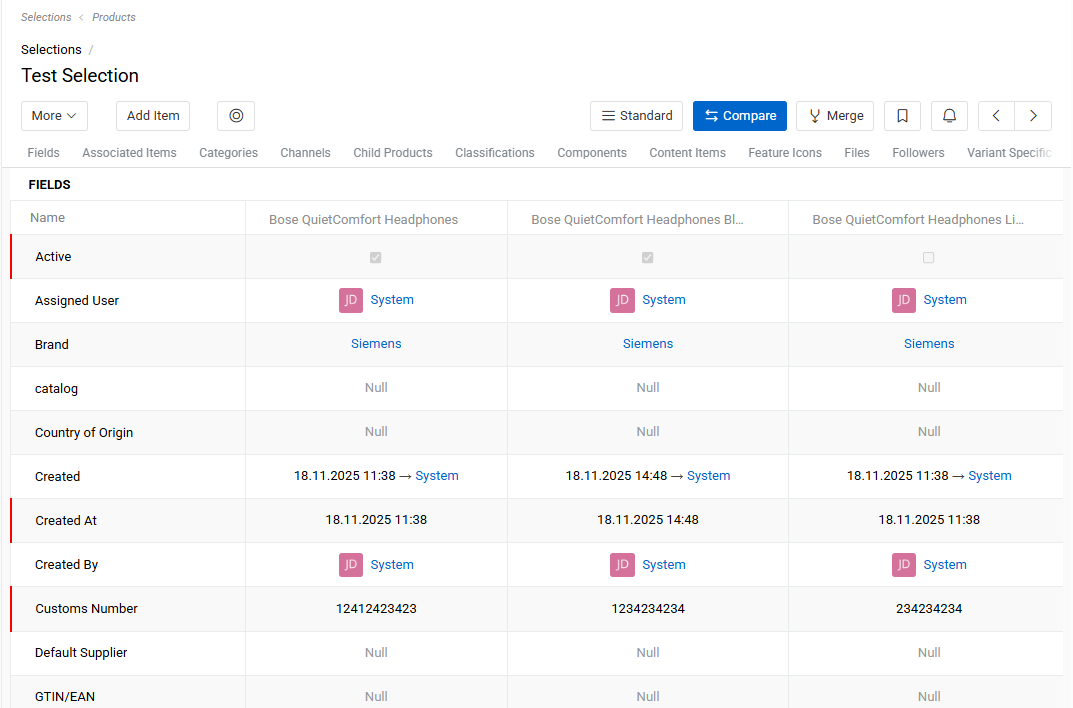
✔ Comparison View
Shows selected records in a clean comparison table.
You can:
- See differences instantly (highlighted automatically)
- Edit field values directly
- Add or remove records
- Filter rows to show only changed, filled, or empty values
✔ Merging View
Lets you merge several records into one new, clean record.
You choose which field values to keep — visually, using radio buttons and checkboxes.
This is especially helpful for eliminating duplicates and ensuring data accuracy.
How It Works
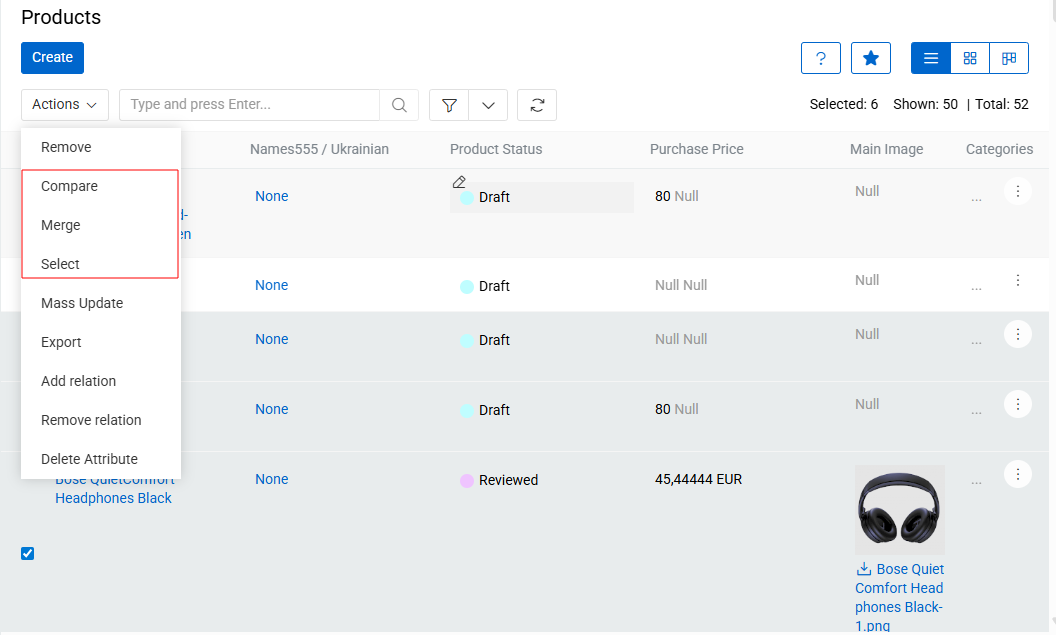
Users can start Compare or Merge in three convenient ways:
-
From the list view – select records and choose Compare, Merge, or Select.
A new Selection will be created automatically. -
From a Selection – add the records you want and choose Compare or Merge.
-
From a comparison table – switch directly into merging mode.
Access & Permissions Made Simple
Access to Compare and Merge depends on the user’s permissions:
- Compare requires permission to view records
- Merge requires permission to create records
- Visibility of the Selection entity determines if users can open or create selections
- Users can add or remove records only if they can edit the selection
This ensures full control and security while keeping workflows smooth.
Coming Soon
We’re already working on the next enhancement:
the ability to compare records from different entities within the same selection.
This will open the door to even more powerful cross-entity analysis.
Visit our help center to get a more technical perspective on this and other updates.